(CASE 02 · REZYSAVE)
Managing an IoT product, from 20M unclean rows to nine kinds of readers.
Building the RezySave enterprise IoT system.
(TL;DR)
- SITUATION
- High-level requests from executives for 9 personas, and 20M+ rows of unorganized and unstandardized data.
- WHAT I DID
- Worked as product manager to a 20+ person offshore team: standardizing data, building device naming and app user flows, and directing the app’s Figma designs.
- RESULT
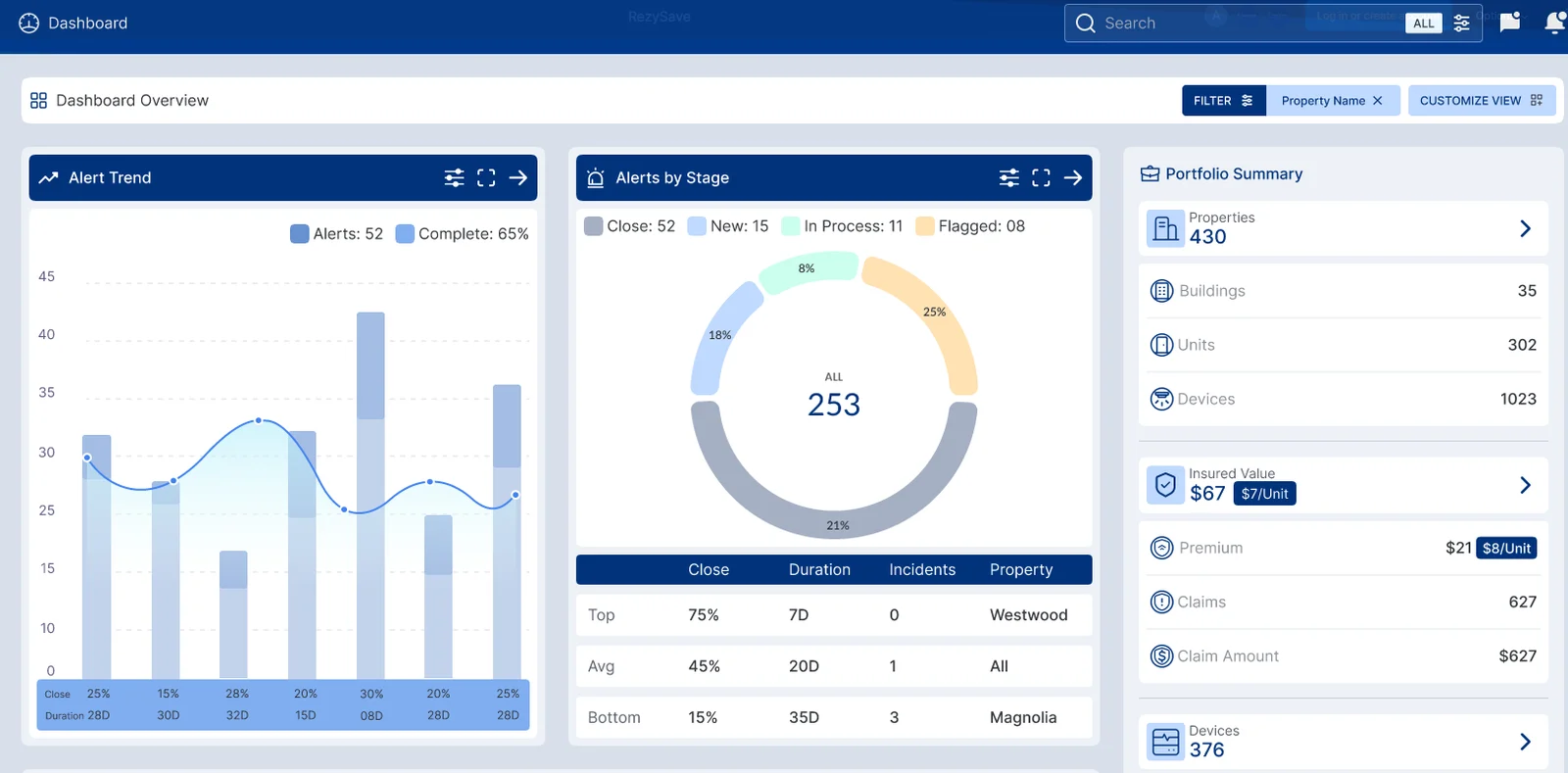
- A working dashboard all 9 personas could read. 1,265 connected devices findable by their code across 11 properties and 229 buildings.
(THE ROLE)
I managed the product from the client side of a 13-hour time difference.
I came in as a data analyst and ended up managing the product: 20M rows nobody had standardized, a 20+ person offshore team, and nine kinds of readers who each needed a different answer from the same data. I called the delivery team at five and six in the morning, went through each page with their design manager, and told them what the system had to know. My job was to know what all nine kinds of readers needed and to say it before anything got built.
DECISIONStayed the client-side manager rather than the one drawing screens, so every screen answered a real reader, not somebody’s taste.
(THE NINE READERS)
- PROPERTY MANAGERS
- ADMINS
- INSTALLERS
- TENANTS
- REGIONAL PROPERTY MANAGERS
- OWNERS
- INSURANCE
- INVENTORY MANAGERS
- INSTALL MANAGERS
(THE FLAW NOBODY ELSE CAUGHT)
Anyone could sign up with any role they wanted. The whole team missed it.
The approved Figma mockups never had a ‘pick a role’ step. Design and dev built the sign-up flow with one anyway: one link to every email, and anyone could claim any role, unchecked, straight up to regional manager. Nobody checked the build against the mockups; I caught it because my job spans design, development, and the client’s business, not just one of them. I drew the flow that closed the gap, sign-up links already resolved to a tenant and unit before they go out, to show the team what to build instead. No role to pick, nothing to approve.
DECISIONHeld QA alongside product management, and checked the build against the approved mockups rather than against itself.
Before
the built flow, redrawn: the role-picker the mockups never had
After
the flow I designed and shipped: no role to pick, nothing to approve
The mockups never had ‘pick a role’; the built flow did. I caught the gap and drew the fix.
(THE NAMING, INVENTORY AND INSTALL SYSTEM)
Building an enterprise naming, inventory, and install system.
Every device carries a code that says exactly where it belongs, down to the property, the building, and the unit. The code tracks what exists, maps each device to its place, and plans the install in advance, so a crew arrives already knowing what goes where instead of scanning anything in the field.
DECISIONDesigned the naming scheme before the fleet outgrew anyone’s ability to track it by hand.
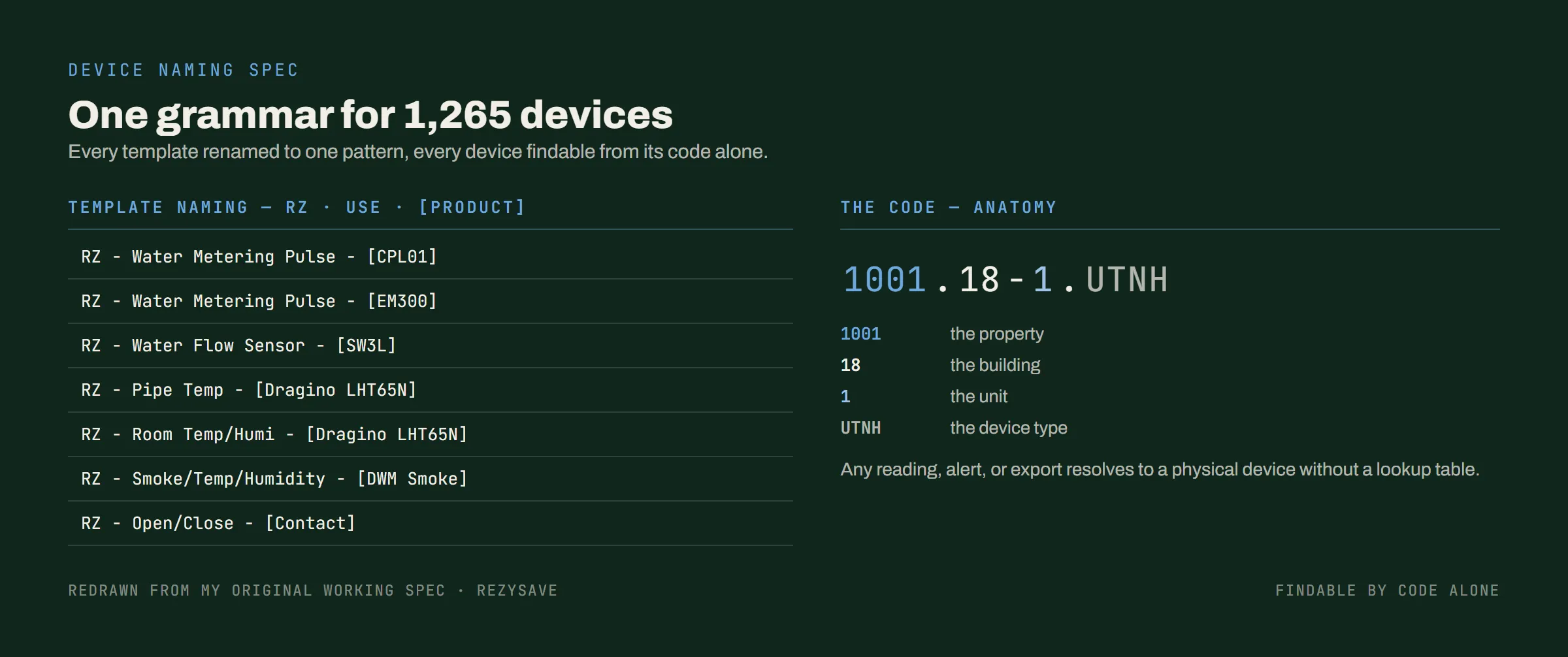
1,265 CONNECTED DEVICES ACROSS 11 PROPERTIES AND 229 BUILDINGS, COUNTED 2026-08-27
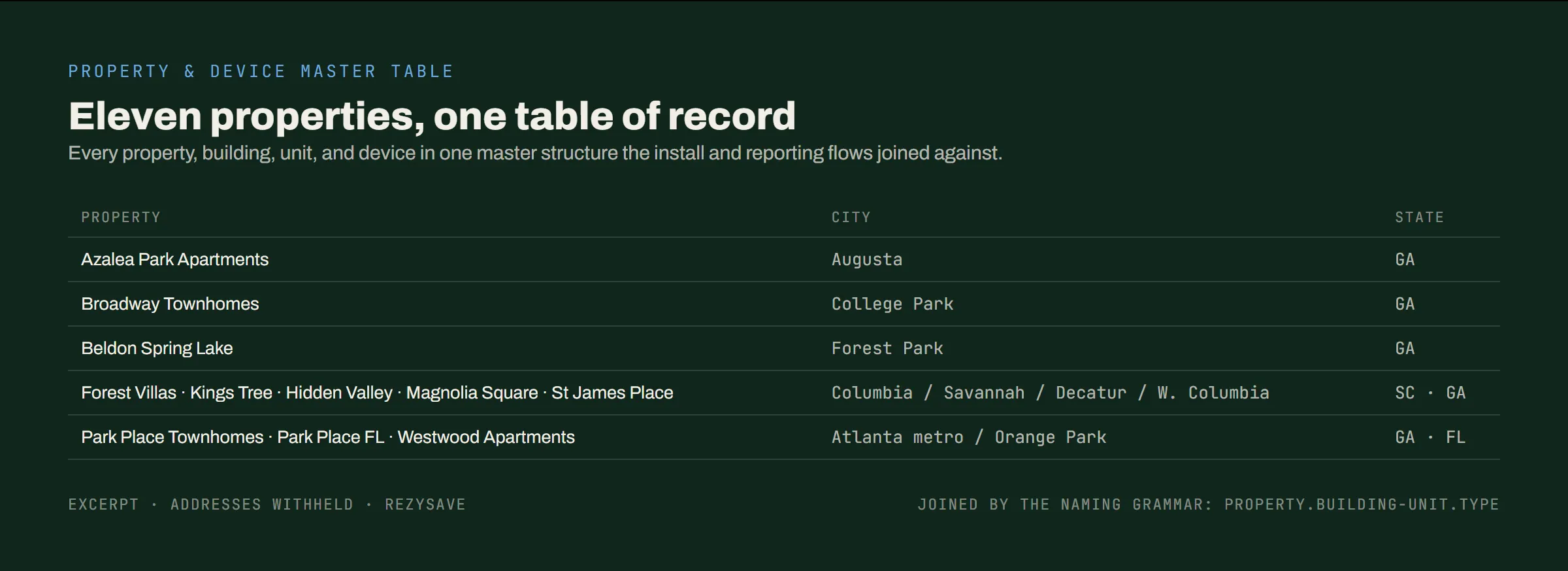
A naming code is only useful if it points at one list. Every property, building, unit and device sits in one master table, and every install and report checks against that, not somebody’s copy.


SCROLL THE DIAGRAM SIDEWAYS TO READ IT →
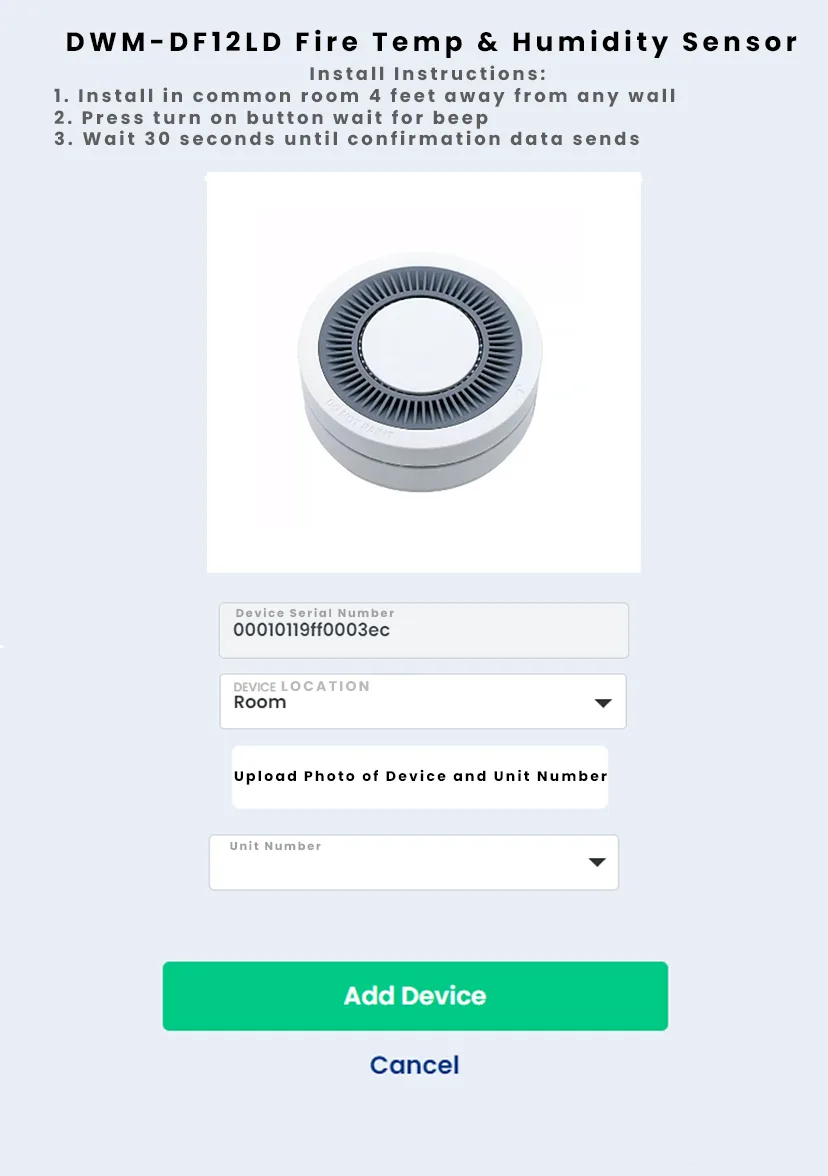
Planning it in advance only counts if it reaches the installer. By the time he opens the app, the unit and the code are already decided. And a device is not counted as installed until its data has actually sent, which is on the flow above because it is the part everybody wants to skip.
(20M ROWS INTO A WORKING DASHBOARD)
20M rows of unclean data into a working product.
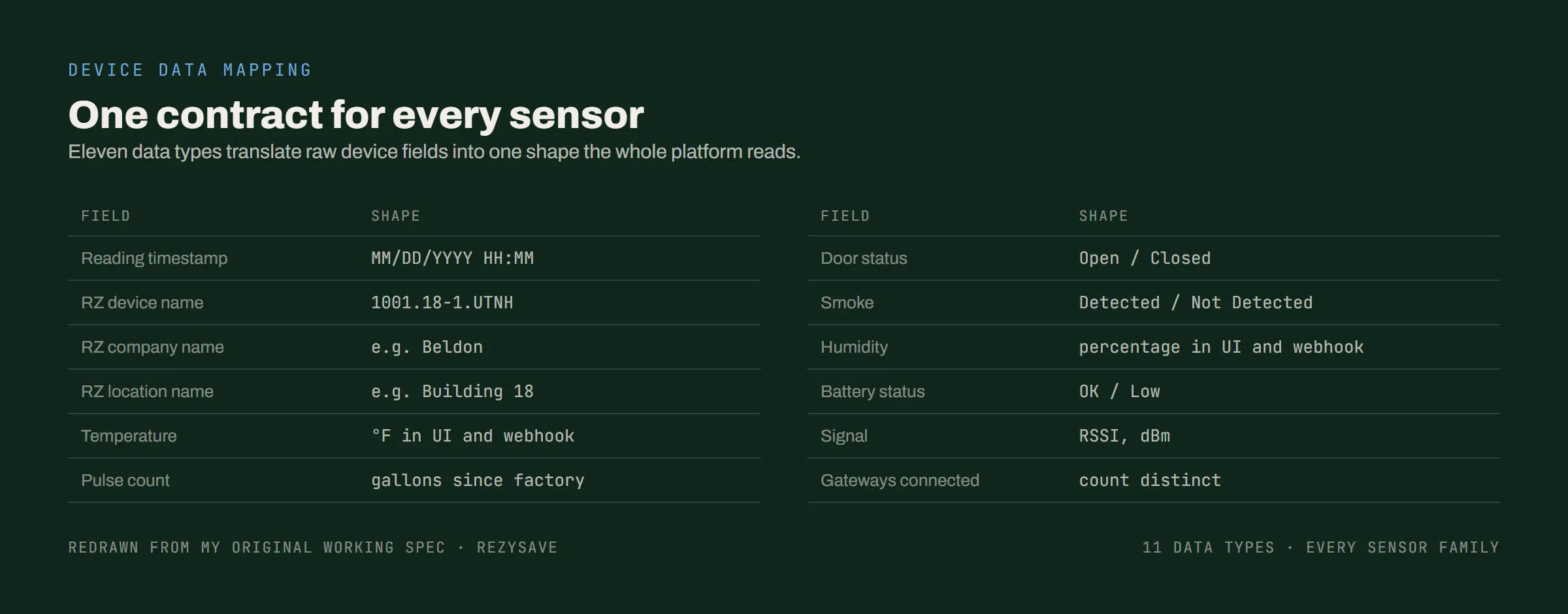
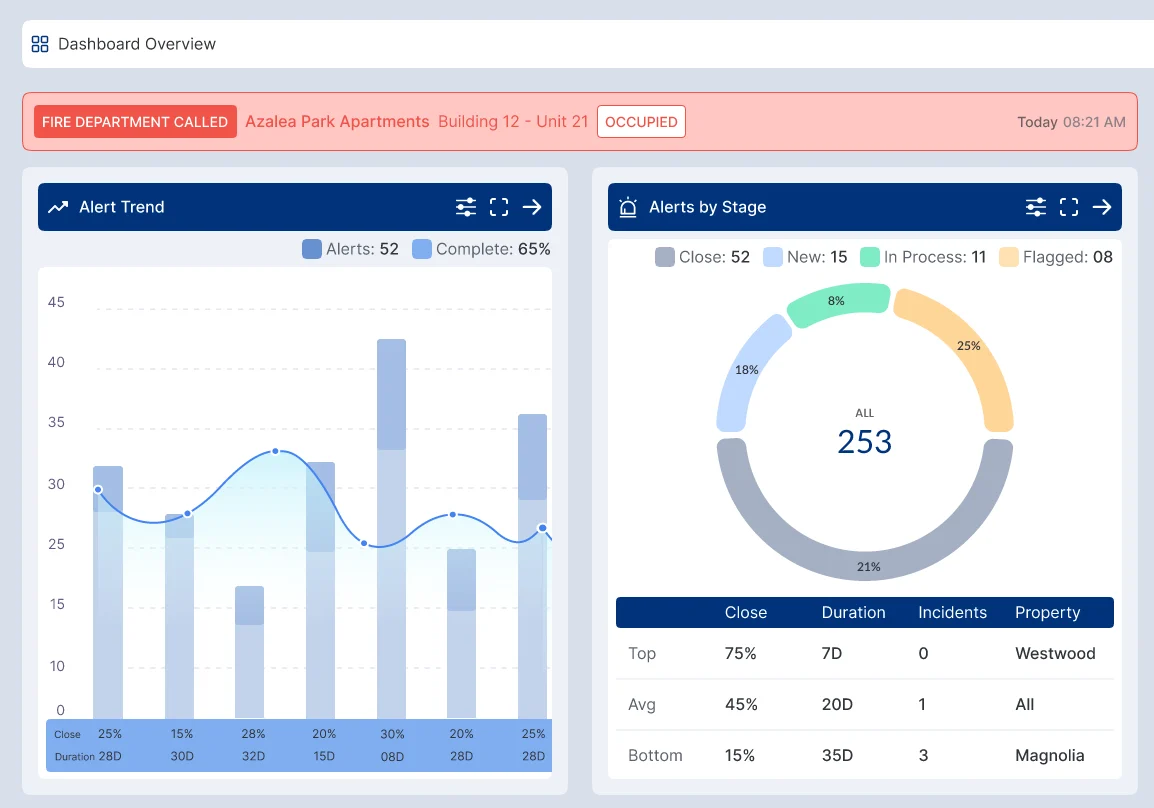
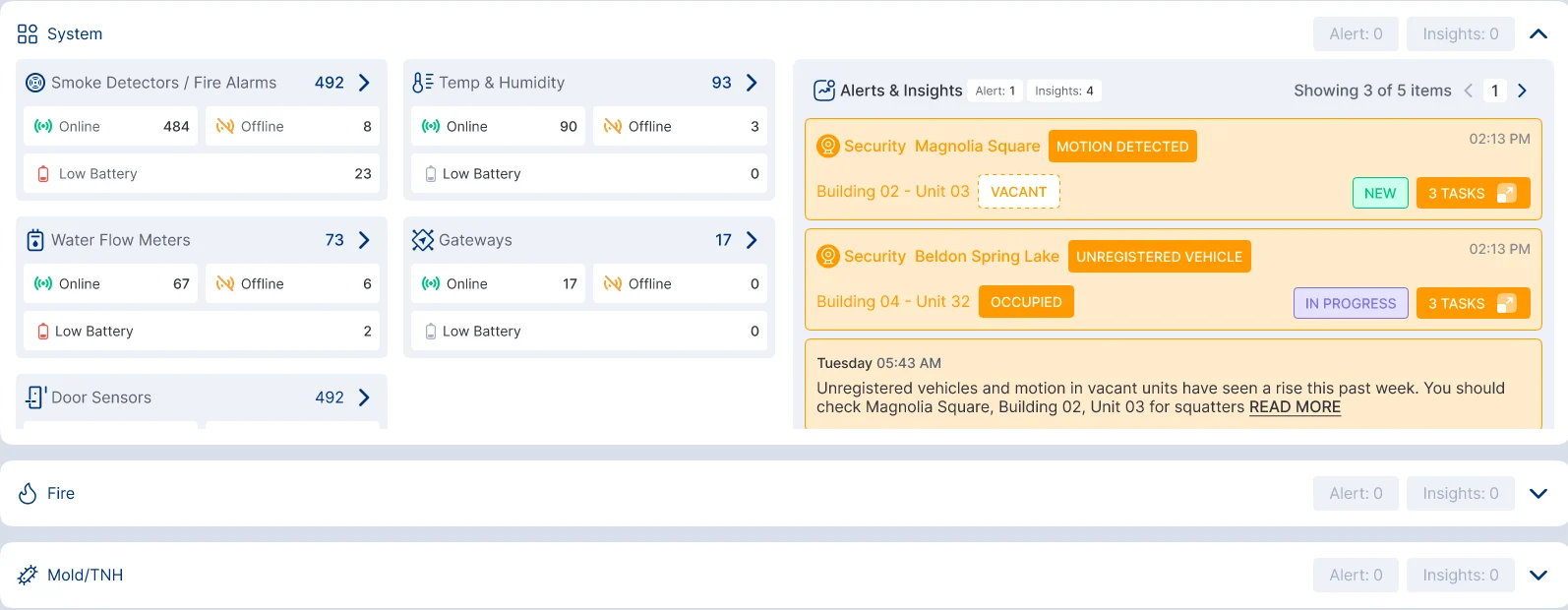
Getting from the one to the other meant sitting with the real data and standardizing it first: 120+ columns, no standard between them, and one measurement arriving in five different formats. What shipped is a dashboard all nine kinds of readers can use, each getting a different answer out of the same devices.
DECISIONSat with the real 20M-row data and standardized it before validating a single screen.
(DIRECTING THE BUILD)
The direction went on the working documents themselves.
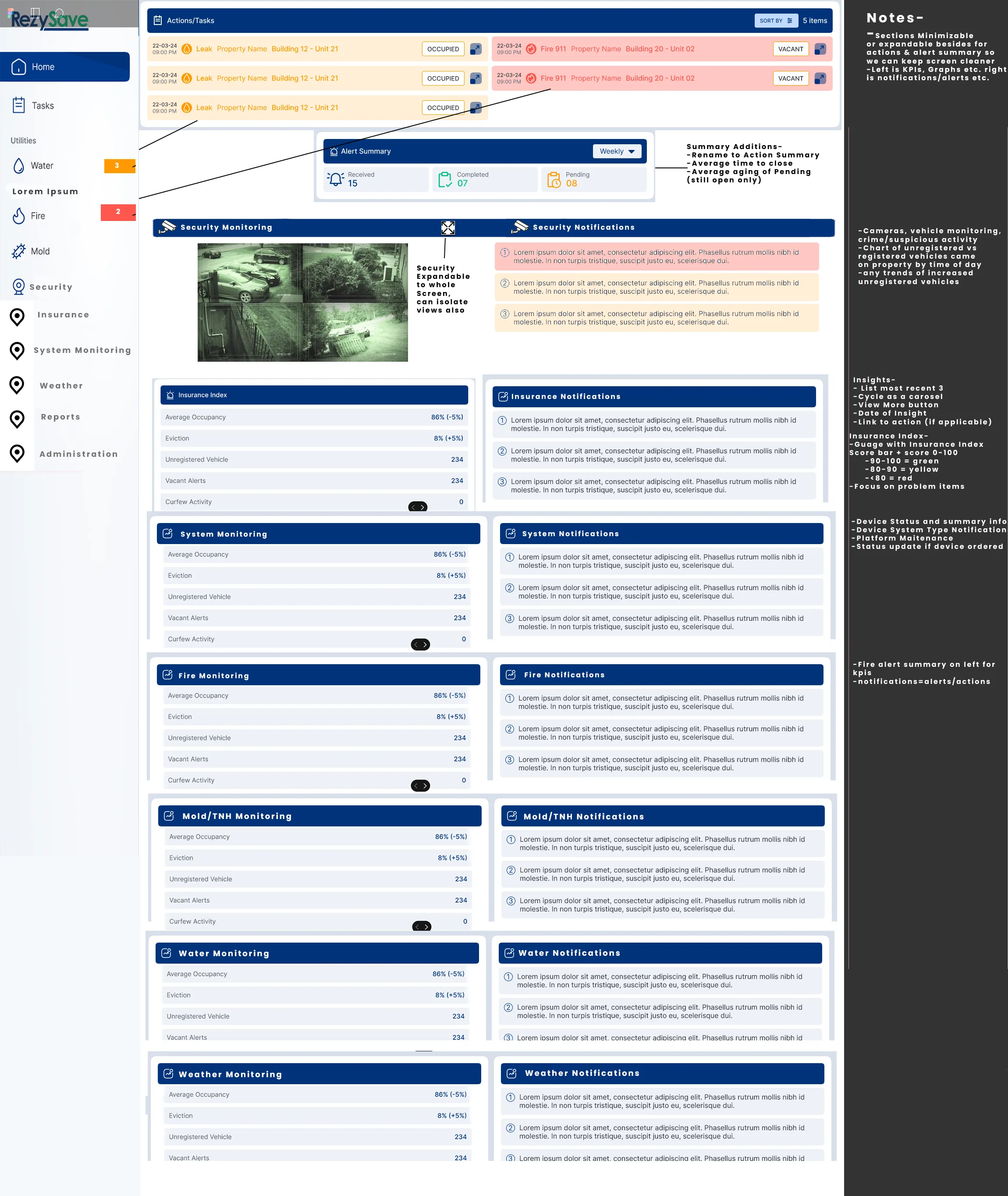
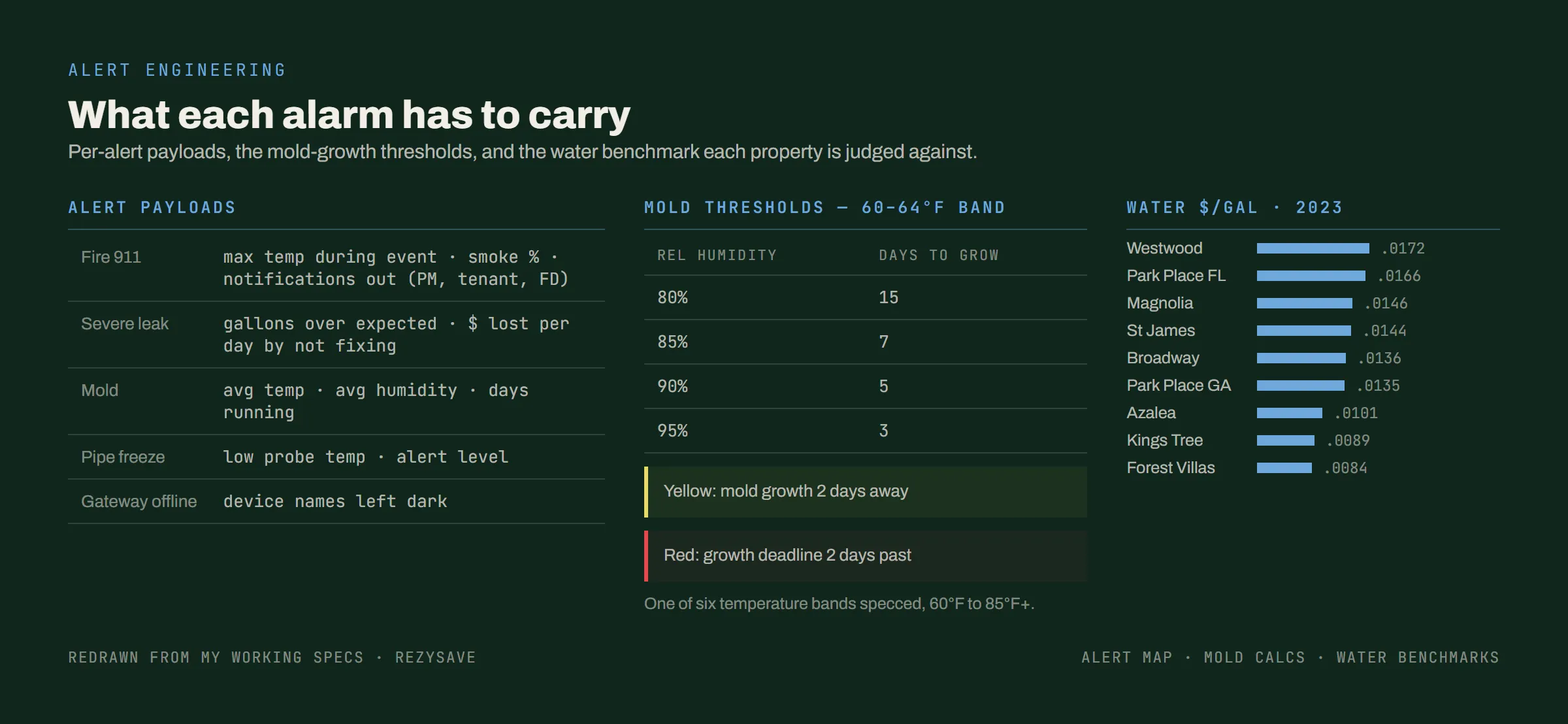
Rather than hand over a picture and hope, I annotated the property manager view panel by panel: the renames, the gauge bands, and what each section had to tell its reader. Behind it sat the rest of the direction: the data dictionary every sensor mapped into, the payload each alert had to carry, the mold and water rules, and the master table the whole system joined against.
DECISIONWrote the direction on the working documents themselves, so the team read each requirement next to the thing it applied to.